Overview
A visual builder that helps Jira admins create automation without feeling like they need to be experts first. Clear steps, safer testing, fewer “did I just break something?” moments.
The problem
Automation is powerful, but most builders assume deep knowledge. For everyday admins, setup felt risky, slow, and easy to mess up.
Jira teams rely on automation to reduce repetitive work, but the setup experience often assumes expert-level comfort.
- Help more admins successfully set up automation
- Increase the number of working rules created and reused
- Reduce trial-and-error mistakes during setup
It wasn’t obvious what would happen after a change, so people avoided exploring or kept rules overly basic.
- More abandoned setups
- More mistakes and rework
- Low reuse across teams
Research and insights
We ran a moderated usability study to understand how Jira admins actually build automations today, where they lose confidence, and what would make setup feel safer and faster.
Sessions were recorded, transcribed, and scored using task completion and a short post-session questionnaire.
We recruited 16 participants across 3 methods to get a realistic mix of experience levels and environments.
User Sample:
- 7 from UserTesting (general pool)
- 5 internal Appfire users (not on the JMWE team)
- 1 HubSpot, 2 LinkedIn, 1 Roblox

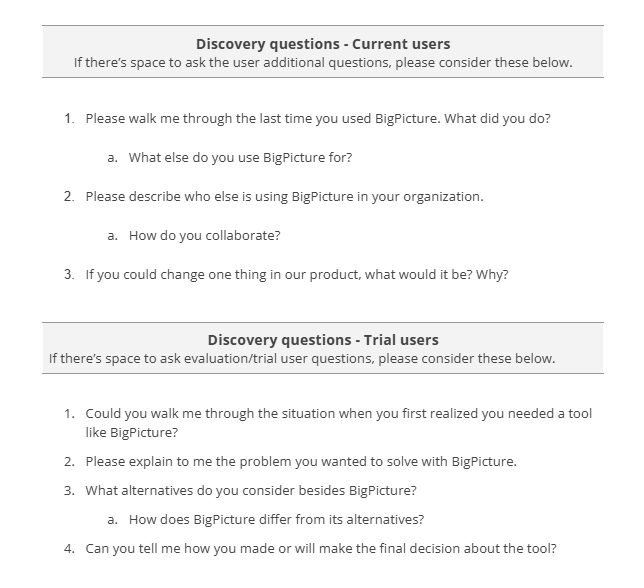
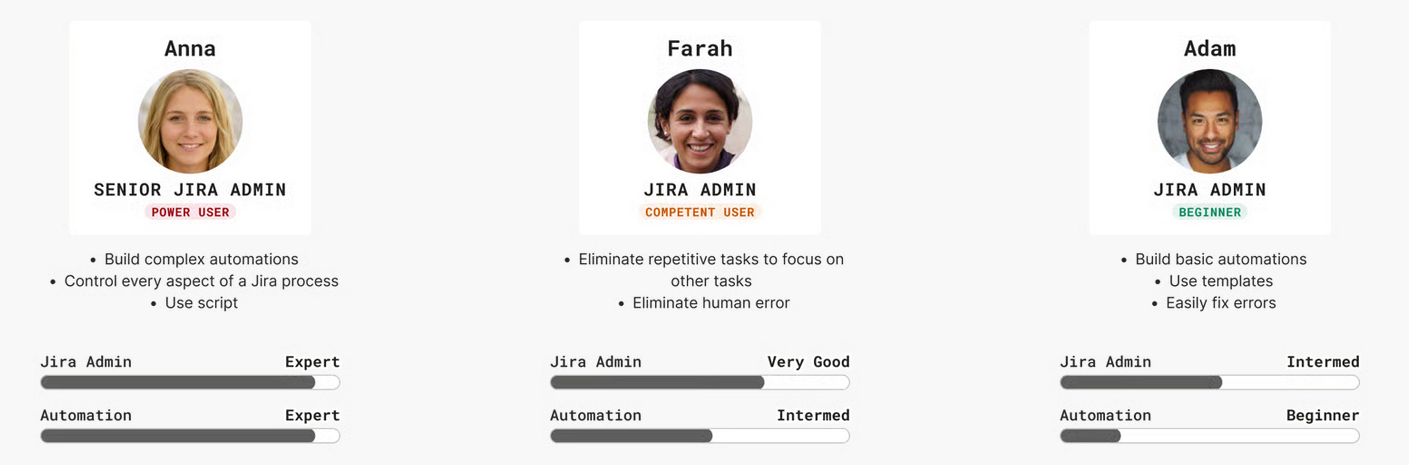
We needed the experience to feel approachable for day-to-day admins, without slowing down power users who build complex automations. The personas helped us sanity check every decision, simple when you start, scalable when you grow.
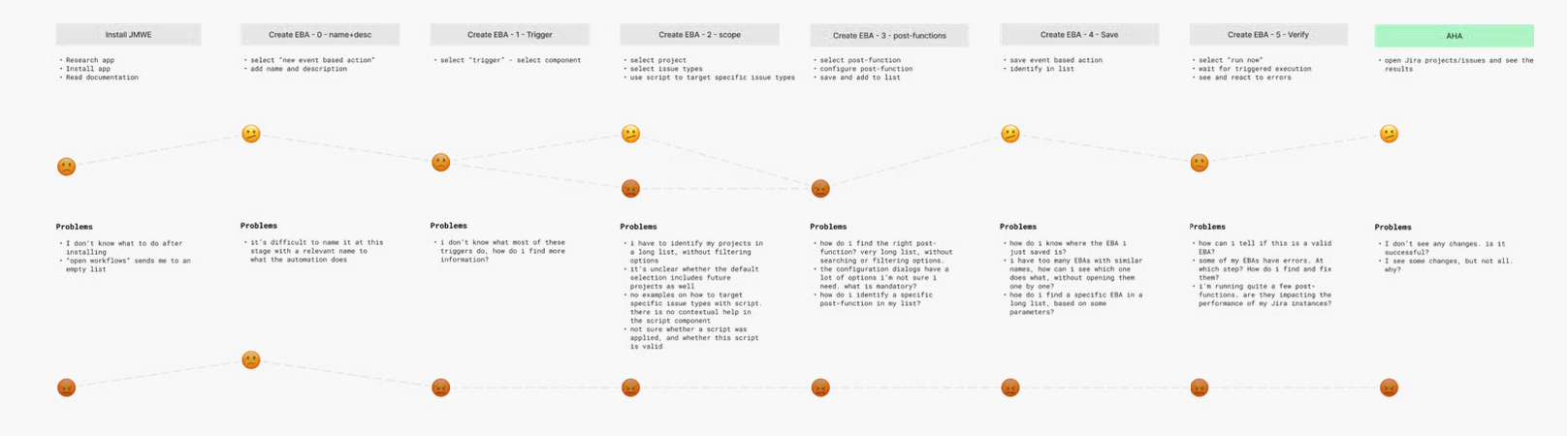
We mapped the end-to-end flow from “install” to “first working rule” and marked the exact moments where confidence drops, usually right before committing changes.
To keep the study grounded in real work, we asked participants to complete 3 common JMWE tasks, then fill a short questionnaire at the end of the 60 minute session.
- Task 1: Automatically set an Epic to Done when all issues under it are Done
- Task 2: Reopen a parent issue when one of its subtasks is reopened
- Task 3: Create multiple subtasks based on parent issue settings
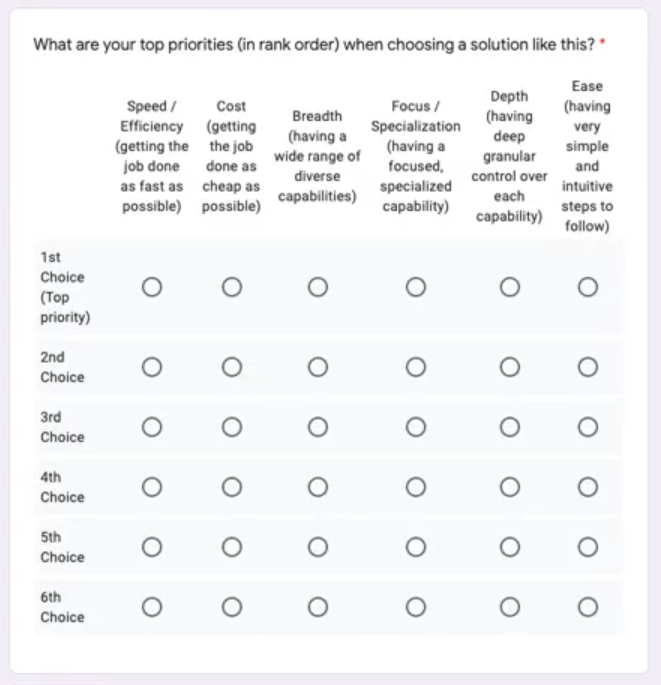
This survey helped us understand how admins prioritize speed, simplicity, and control when evaluating automation tools.
Alongside task success rate, we aggregated the post-test questionnaire into a single UX score out of 10, based on core UX criteria.
Users couldn’t reliably complete the tasks.
Progress was slow, with heavy assistance required.
The experience felt frustrating and discouraging.
People didn’t build confidence as they went.
Participants didn’t feel confident enough to reuse or recommend the product.
A single roll-up score across effectiveness, efficiency, satisfaction, learnability, and loyalty.
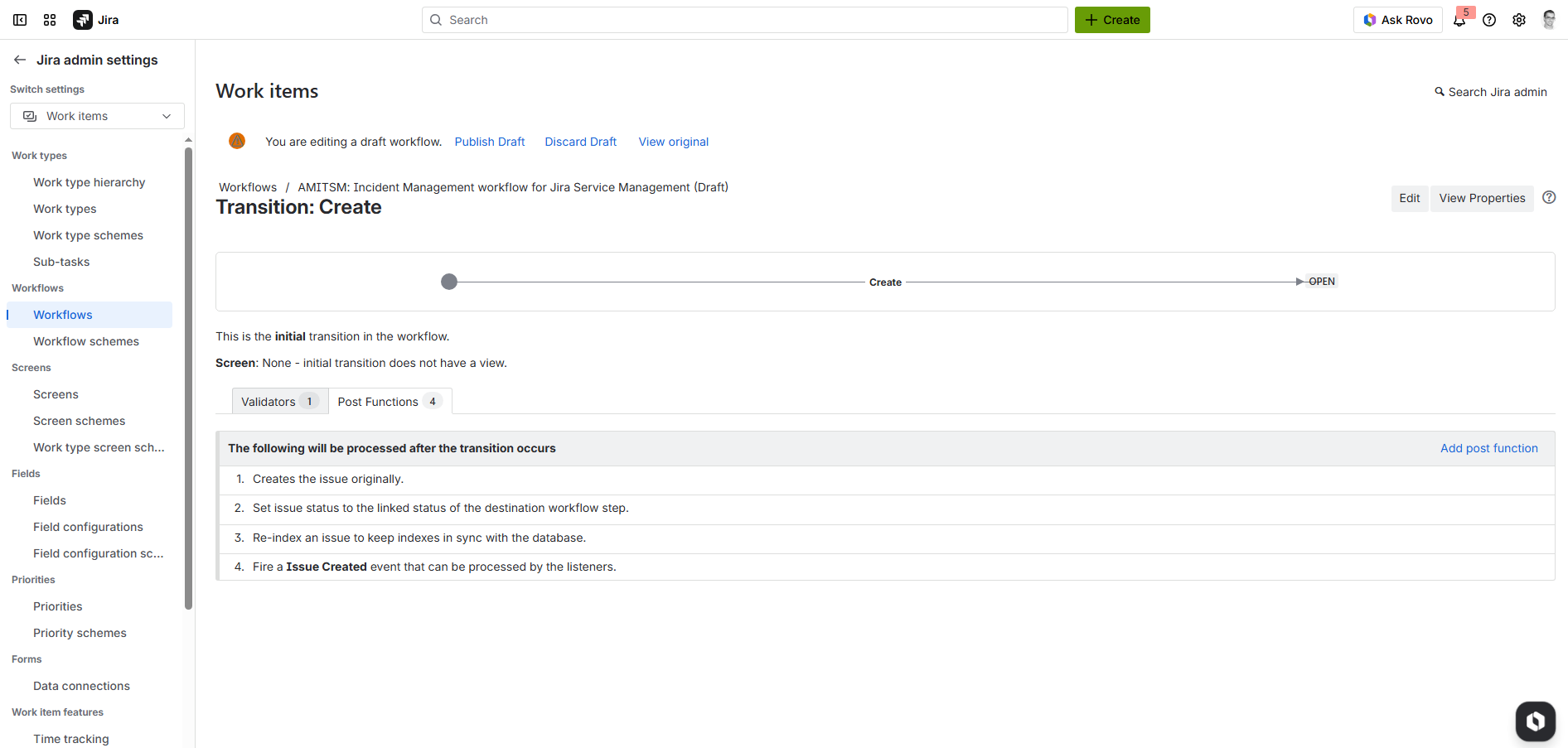
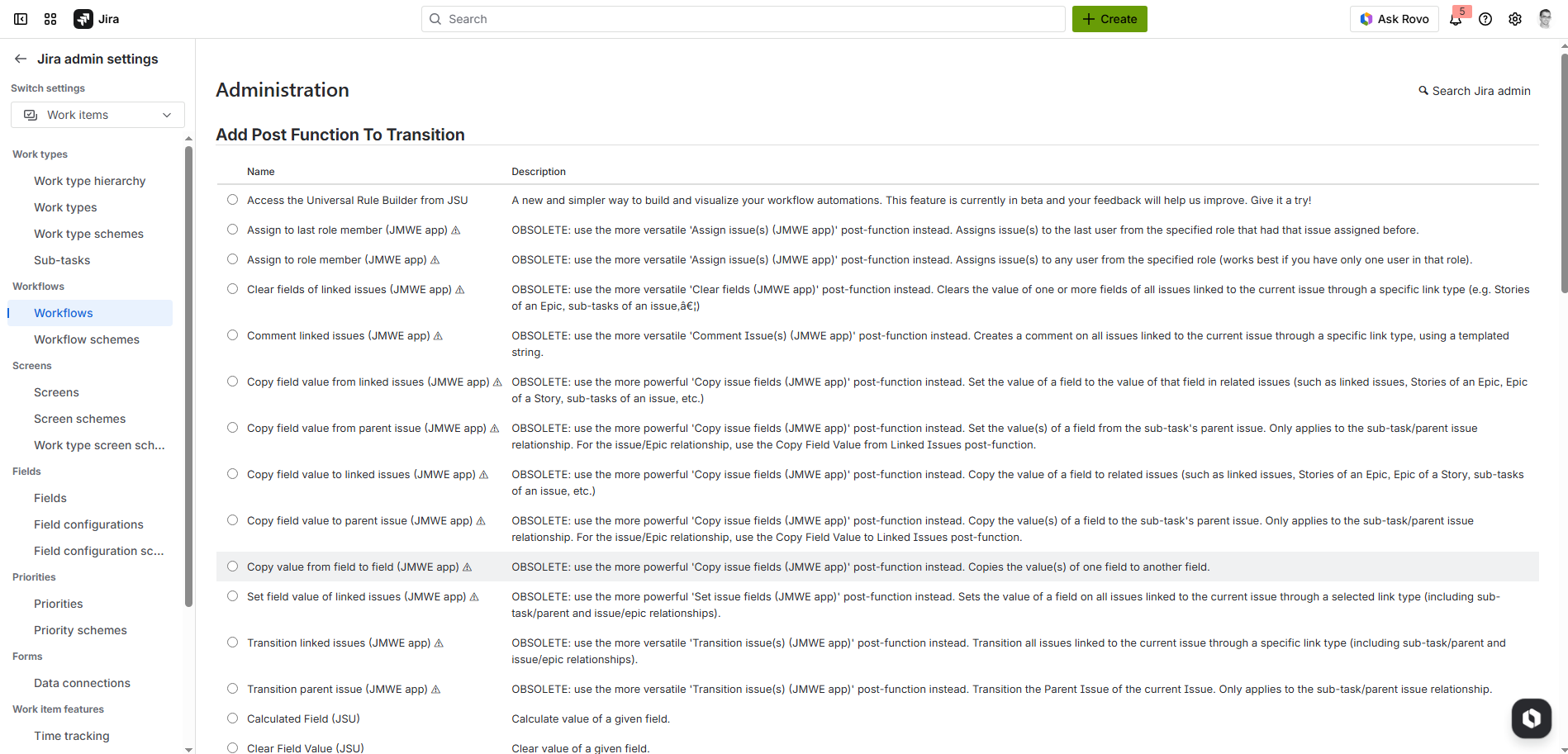
- The experience feels disjointed, users move between screens without clear context.
- Critical choices are buried in long lists, forcing users to scan, guess, and reread.
- Walls of text create cognitive overload, especially for first-time setup.
- The lack of visual guidance makes even simple workflows feel intimidating.
Shipped solution
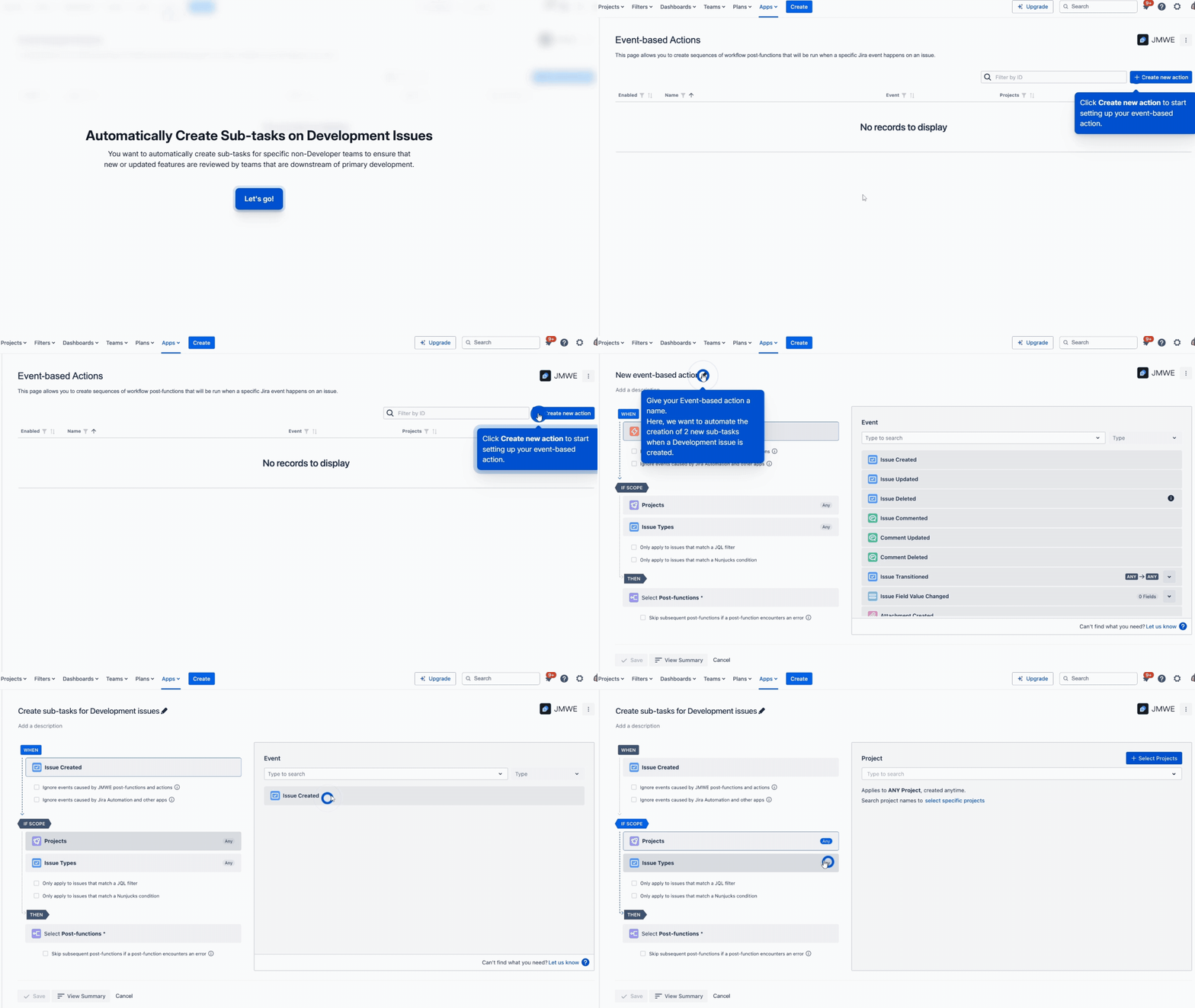
Instead of listing every small issue, we grouped the work into the few changes that drove the biggest clarity and confidence gains.
Make the workflow visual and readable, even as it grows in complexity.
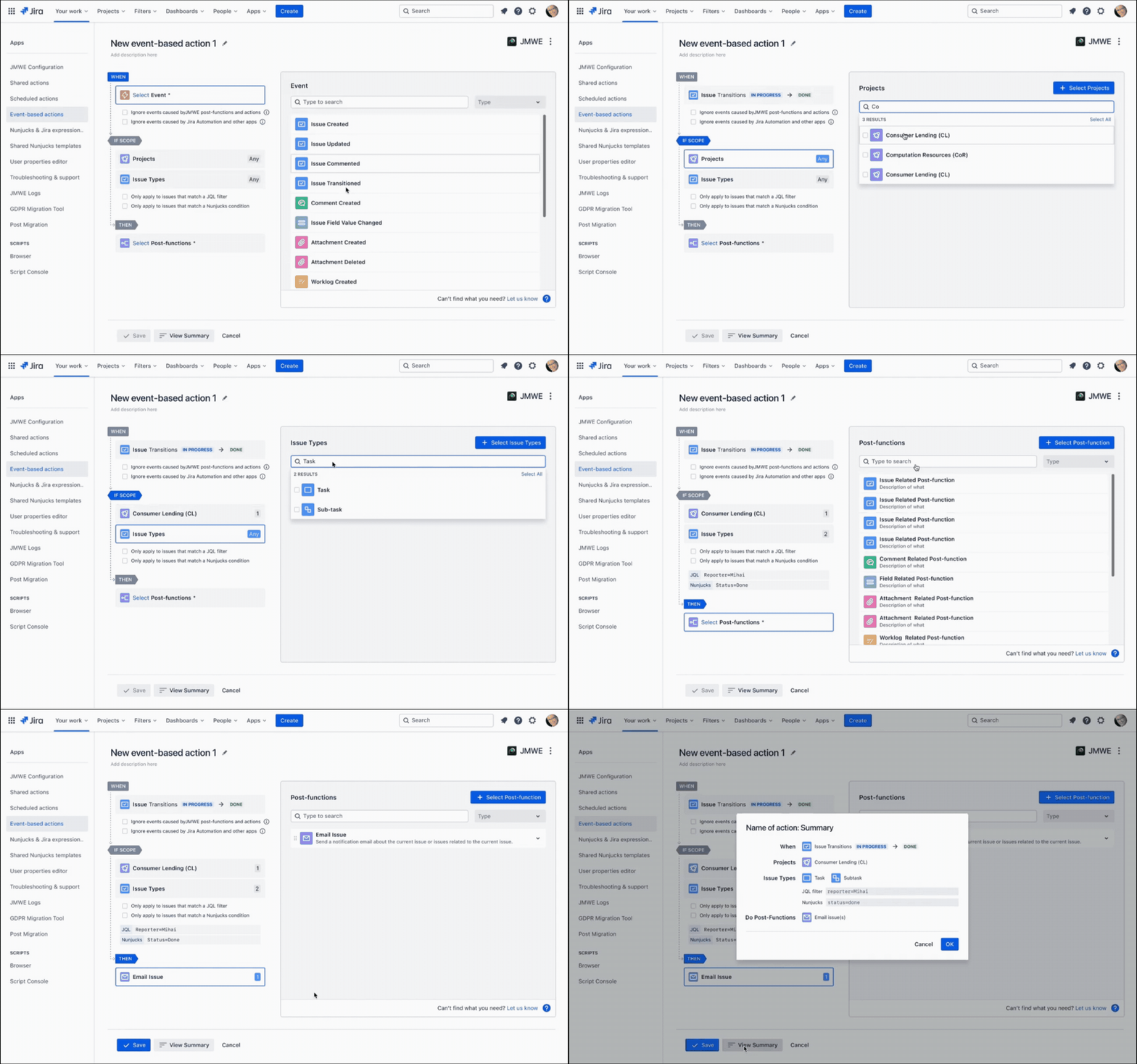
Make it obvious what a control does before you click it.
Validation
Moderated and recorded sessions across a range of experience levels, focusing on whether admins could complete key setup tasks confidently.
Participants completed the core tasks.
Fast time-to-first working rule.
Participants rated the experience as enjoyable and clear.
Impact
Clearer setup, fewer mistakes, and faster time-to-value for Jira admins.
More users successfully reached their first working automation.
Usability testing moved from near-zero success to reliable completion.
Admins could build a basic automation in minutes.
CES improved meaningfully after the rollout.